


Want to quickly understand and analyze YouTube videos without watching them in full? This comprehensive tutorial shows you how to extract transcripts and use AI to analyze video content efficiently.
What You'll Learn
In this guide, you'll discover a powerful workflow that combines YouTube transcript extraction with AI analysis to help you:
Extract transcripts from any YouTube video
Analyze video content using AI tools
Identify key insights with timestamped references
Tools You'll Need
Noteey YouTube Note Taker - A web-based transcript extraction tool
AI Platform (Google Gemini, ChatGPT, or similar) - For analyzing the transcript
Any YouTube video URL you want to analyze
Step-by-Step Tutorial
Step 1: Access the Transcript Tool
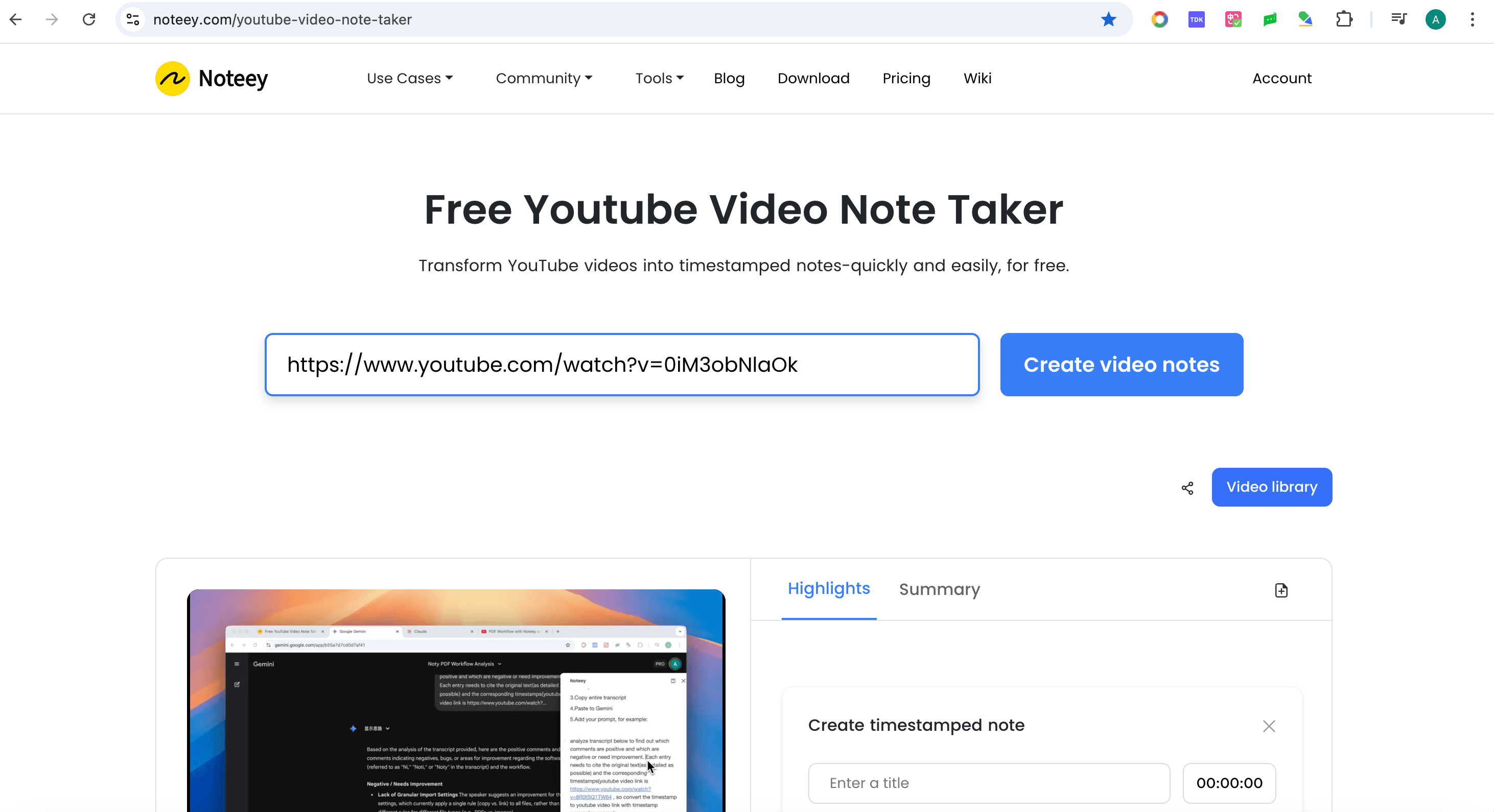
Navigate to the Noteey YouTube Note Taker website. This free tool allows you to extract transcripts from any public YouTube video.
Step 2: Extract the YouTube Transcript
Copy the URL of the YouTube video you want to analyze
Paste the link into the input box on the Noty website
Click "Generate Transcript"
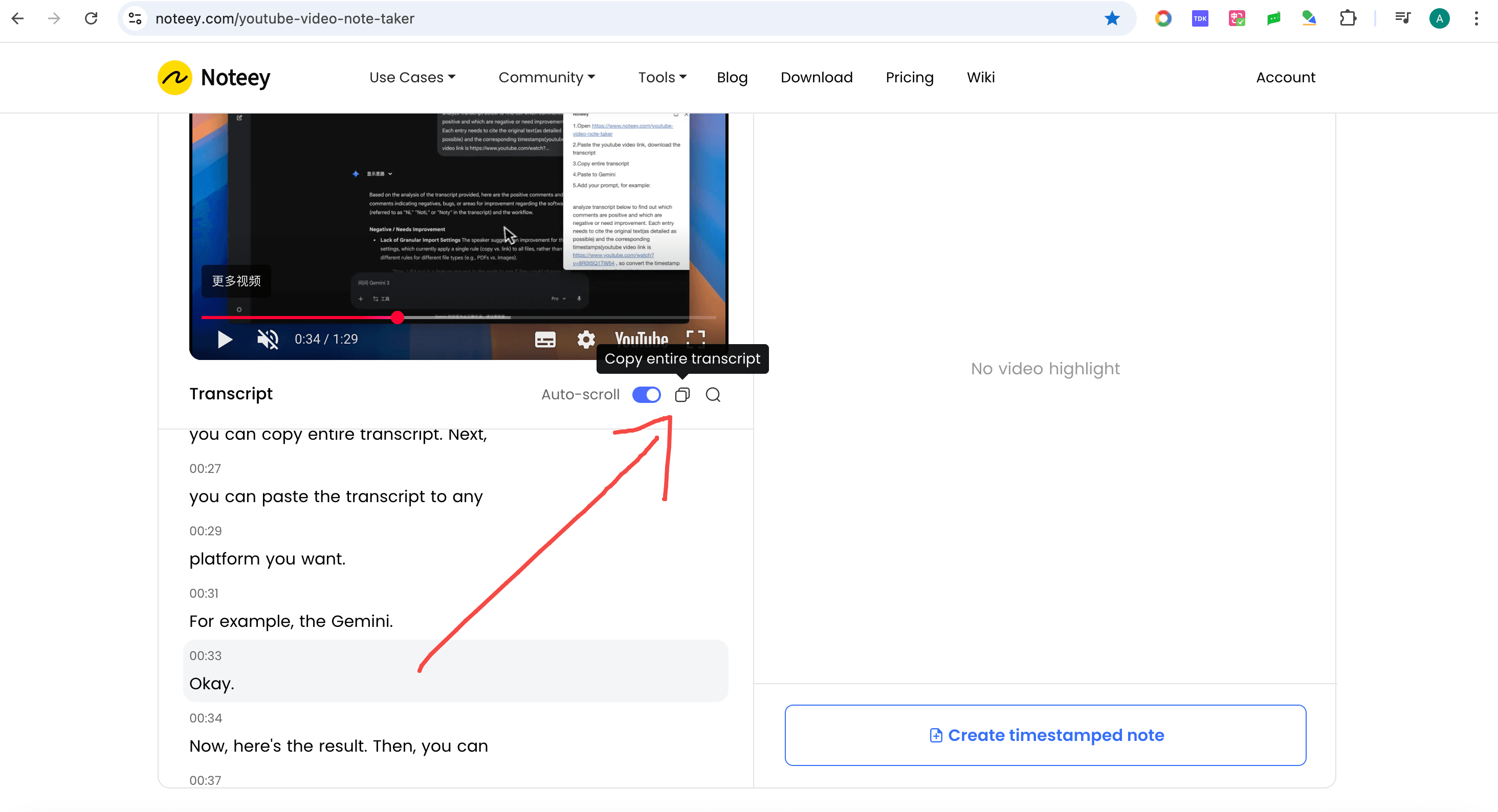
Click "Copy entire transcript"
Step 4: Prepare Your AI Analysis
Open your preferred AI platform (this tutorial uses Google Gemini, but ChatGPT, Claude, or other AI assistants work equally well).
Paste the transcript into the AI chat interface.
Step 5: Create an Effective Analysis Prompt
The key to getting useful insights is crafting a clear prompt. Here's an example prompt structure for analyzing product review videos:
Analyze this YouTube video transcript and: 1. Identify all positive comments and features mentioned 2. List negative feedback or areas needing improvement 3. Cite the original text for each point 4. Provide timestamped links for each reference Video URL: [paste original YouTube URL]
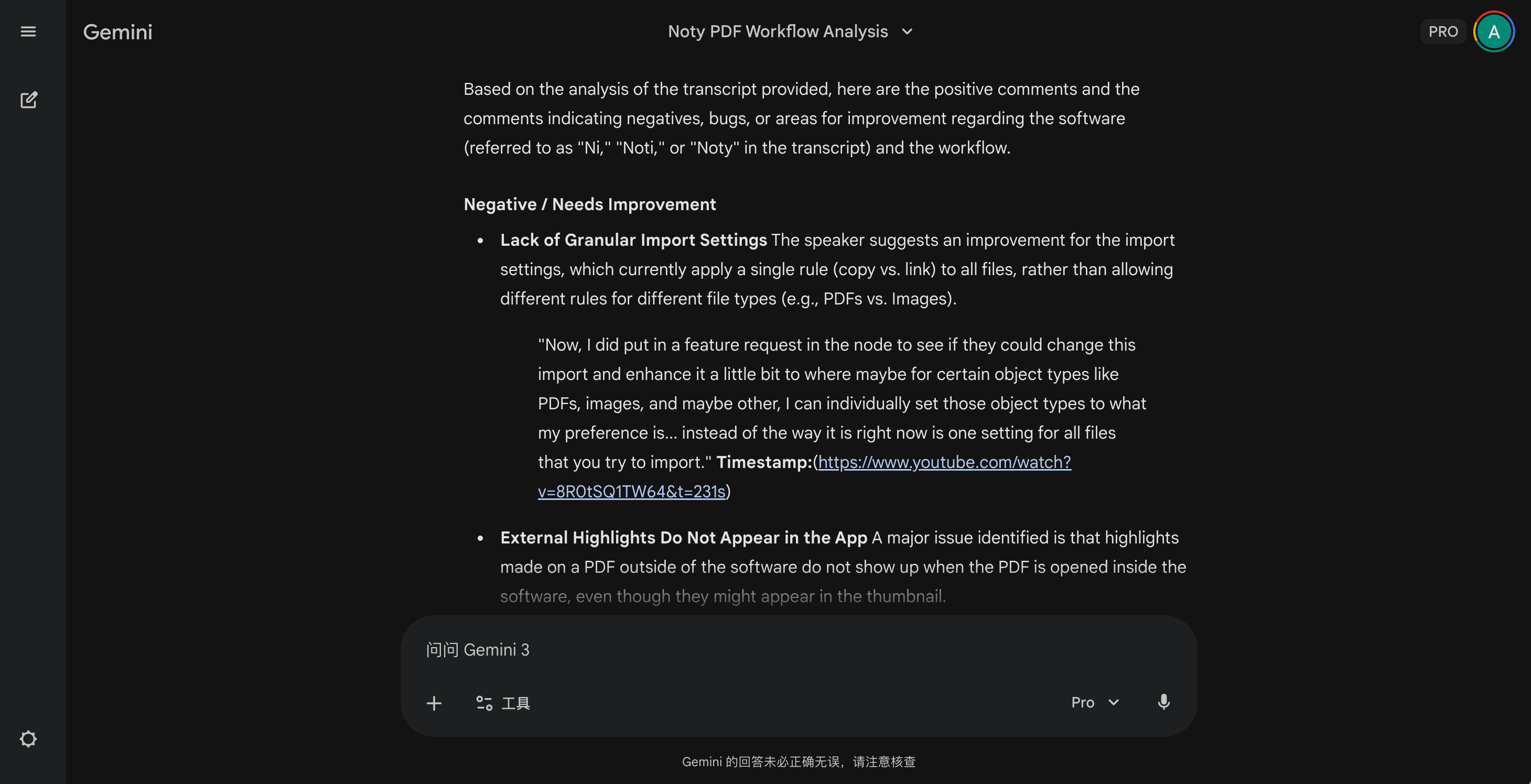
Step 6: Review AI-Generated Insights
The AI will process the transcript and provide organized insights. You'll receive:
Positive aspects - Strengths and praised features with quotes
Negative feedback - Criticisms and improvement areas with evidence
Source citations - Direct quotes from the transcript
Timestamped links - Clickable URLs that jump to specific video moments
Step 7: Navigate with Timestamps
One of the most powerful features of this workflow is the timestamped links. When you click on a generated timestamp link, YouTube will automatically jump to that exact moment in the video, allowing you to verify the AI's analysis or get more context.
Conclusion
This workflow transforms how you consume and analyze video content. By combining transcript extraction with AI analysis, you can:
Save hours of video watching time
Extract actionable insights quickly
Reference specific moments with ease
Make better-informed decisions
Whether you're conducting research, analyzing customer feedback, or simply trying to quickly understand a video's content, this method provides a fast, efficient solution.